
Deeper forecasting, custom fields, and FX providers
Overview:
- New features:
- Deeper cash flow structure, infinite nesting and number of groups
- Forecast cut-off rules, ability to prioritize forecasted transactions over estimates for a given horizon
- Bring your own FX provider, connect to Fixer or Oanda to get your own FX rates into Atlar
- Custom fields, define structured fields with display names across your resources
- More fields available for transaction categorization
- Payment schedules
- Improvements:
- Sweep amount splitting when scheme has a maximum allowed amount
- Dark mode
- Redesigned connections page
- Increased credit transfer batch limit to 2,000
- Persistent filters when navigating away from the page and then back to it
- Ability to see sender account balance when approving a payment
- Add multiple widgets at once to dashboard
- Payment status reasons now shown on payment details
- Sweep run history visible on sweep rules
- Account and entity names shown in forecast upload
- Available/booked balance toggle on accounts tab
- Expected account number format shown when creating credit transfers
- Existing categorization rule link when creating a duplicate
Deeper cash flow structure
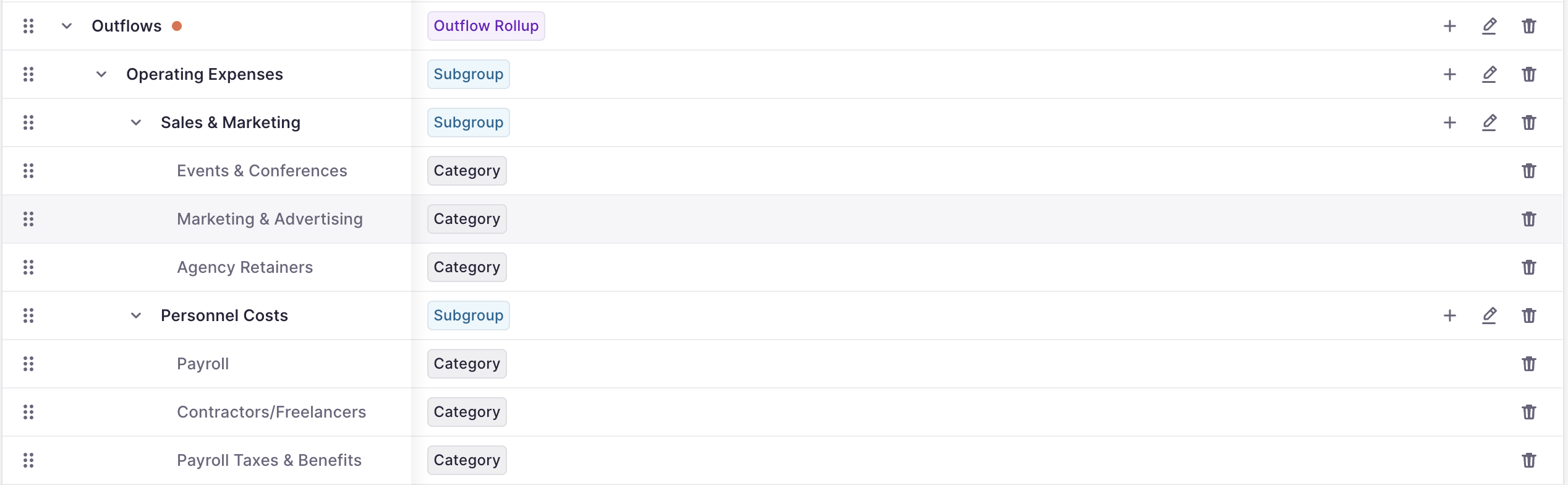
Cash flow forecasting now supports multi-level group hierarchies. You can organize inflow and outflow categories into nested subgroups, drag and drop rows to restructure the forecast layout, and see each subgroup as its own series in the chart. Uploaded forecasts respect the nested structure, and variance analysis works at every level of the tree.
- Drag a top-level row onto another to merge it as a subgroup, or extract a subgroup into its own row
Forecast cut-off rules
Forecast cut-off rules allow you to control how many periods into the future the forecast shows your forecasted transactions before falling back to estimates. Each rule specifies a number of periods (days, weeks, or months, matching your forecast granularity), and can be scoped to specific entities and categories.
This is useful when near-term data from your ERP should take priority. For example, create a rule with a two-week horizon across all entities and your ERP-related categories. The forecast will use your forecasted transactions for those first two weeks, then switch to budget data or generated forecasts beyond that.

Bring your own FX provider

You can now connect Fixer.io or Oanda (or use our default provider: Fastforex) as your FX rate provider through the connections page. FX providers appear as a new group alongside Banks, PSPs, and ERPs in the connections overview.
Once connected, you get:
- Rates: Browse currency pairs and latest rates from your provider. Drill into any pair to view historical rates over a custom date range.
- Configuration: Set a connection as your primary FX source, choose whether to fall back to Atlar's built-in rates when your provider doesn't have a pair, and configure fetch schedules for historical and intra-day rates.
- Reports: Download FX rate reports directly from the connection details page.
Custom fields
Previously called "metadata keys", the feature has been renamed to "custom fields" across the dashboard.
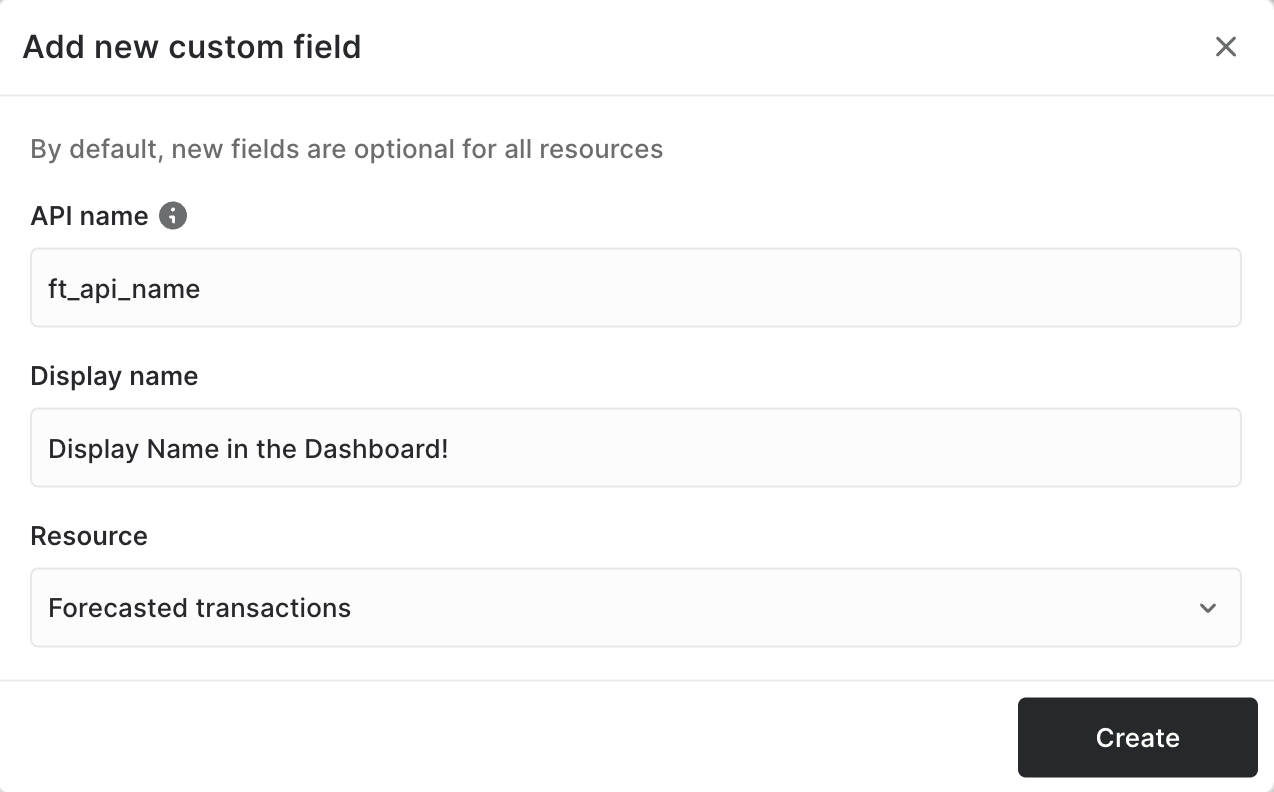
Define your own fields across credit transfers, direct debits, mandates, counterparties, and expected/forecasted transactions. Each field has an API name and a human-readable display name, and can be marked as required for credit transfers and direct debits to enforce data quality at creation time.
All registered fields are now visible directly on detail pages, even when empty, so you always see the full picture without navigating to a separate tab. The creation dialog has been simplified: pick a resource (or apply to all), toggle whether the field is required, and you're done.
Most fields available for transaction categorization
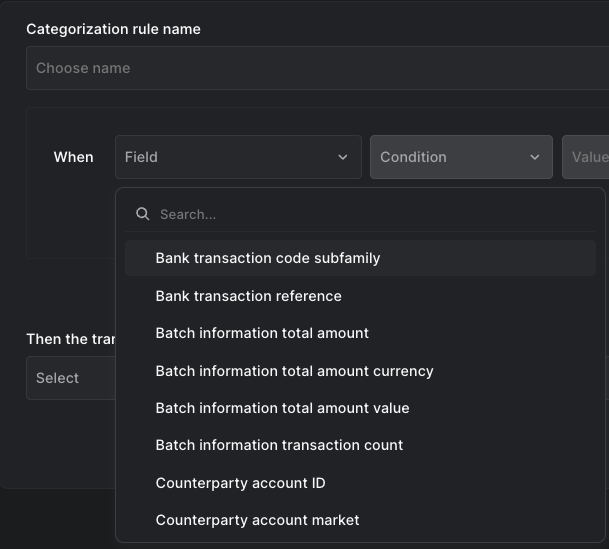
The categorization rule builder now supports most fields available on your transactions, giving you more flexibility when building categorization rules.
- Categories that already have a rule are disabled in the dropdown when creating new rules, with a direct link to the existing rule
- Date range scoping is available for search-based categorization tasks, letting you target a specific window of booked transactions
Payment schedules
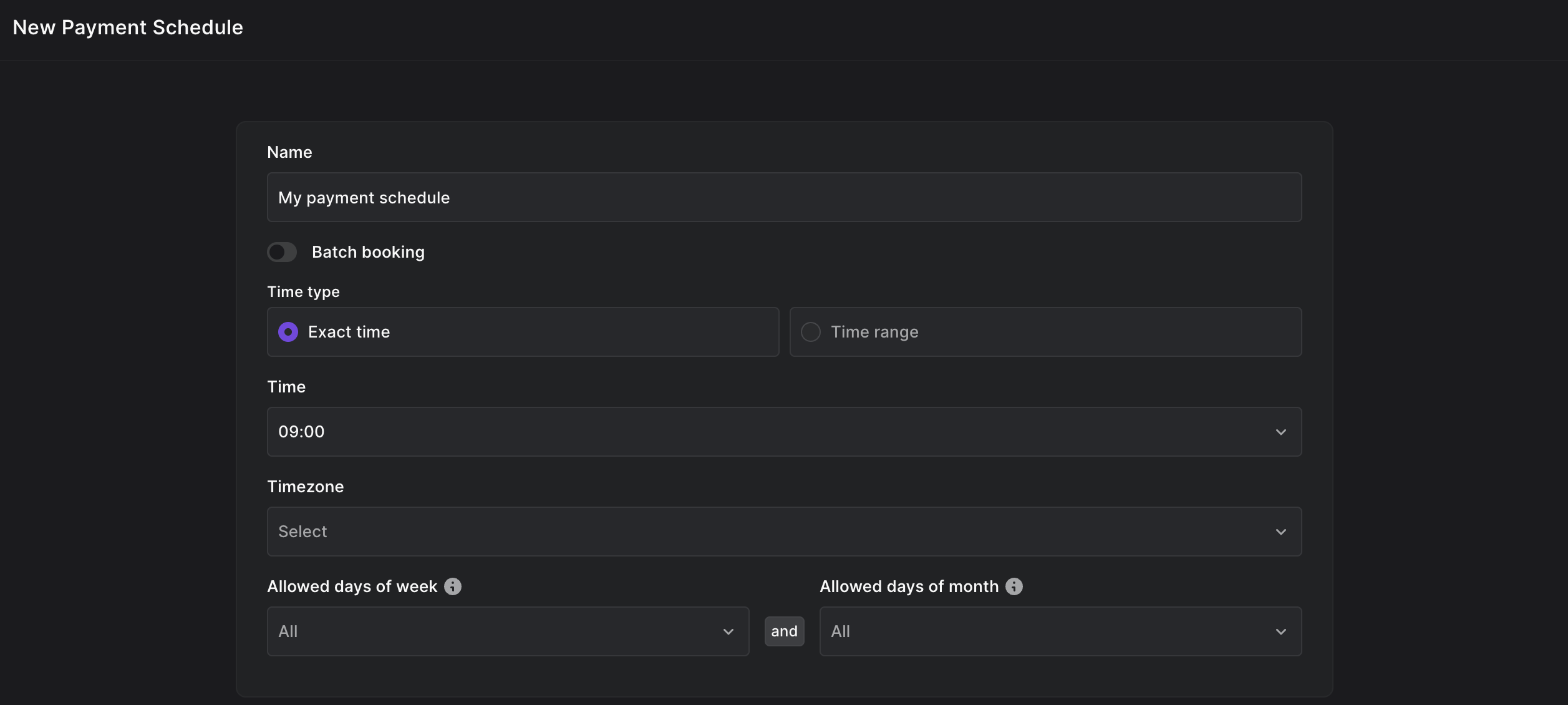
Create and manage payment schedules directly in the dashboard. Schedules define when and how often payments execute, and can be assigned to credit transfers and direct debits via the API. Payment detail pages link back to the schedule that created them for easy traceability.
Payment schedules have their own permission scope, so organization admins can control who can view, create, edit, and delete schedules.
Additional improvements
- Sweep amount splitting: When a sweep exceeds the payment scheme's amount limit (e.g. £1M for FPS), it is now automatically split into multiple credit transfers that each stay within the limit. Previously this would fail silently.
- Dark mode: All of Atlar is now available in dark mode.
- Redesigned connections page: Connections are now displayed as a card grid grouped by type (banks, PSPs, ERPs), with status and account count at a glance.
- Balance in approval views: Sender account balance is now visible when approving payments, including booked, booked adjusted, and available balances.
- Larger credit transfer batches: Upload up to 2,000 items in a single credit transfer batch.
- Add multiple dashboard widgets: Select and add several widgets to your dashboard at once.
- Persistent filters: Filters are preserved when you navigate away from a page and come back.
- Payment status reasons: Payment details now show the status reason code and description, so you can see why a payment was rejected or failed.
- Sweep run history: Sweep rules now show a history of executions so you can verify when and how sweeps ran.
- Account and entity names in forecast upload: The upload preview and download template now show account and entity names for easier identification.
- Available/booked balance toggle: The accounts tab now lets you switch between available and booked balance.
- Payment input guidance: Expected account number format is shown while typing when creating credit transfers.
- Existing rule link: When creating a categorization rule, categories that already have a rule show a direct link to it.
- Delete account action: Recently created accounts (within 14 days) can be deleted directly from the details page.
- Cancel mandate UX: The cancel action is promoted to a primary button with contextual messaging when unavailable.
- Improved form layouts: Credit transfer, direct debit, and template forms now have sticky footers, proper container sizing, and escape-to-go-back behavior.
- Collapsible table search: The find-in-table field can now collapse to save space when not in use.