
Variance analysis and Generated Forecasts Based on Historical Data
11 months ago
Variance analysis
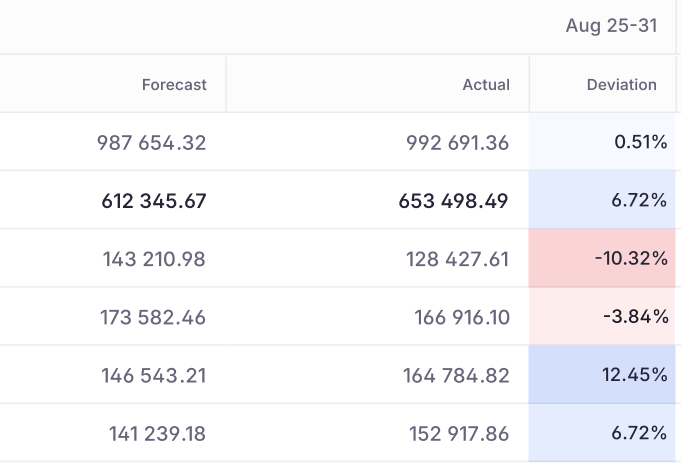
Evaluate forecasting accuracy by comparing forecasted values directly with actuals. Easily spot categorization mismatches in the forecast, measure how well your generated forecasts perform against actuals, and learn over time what works and what doesn’t.
- Performance tracking: Compare any scenario against actuals to visualize the variance (calculated as
Actuals / Forecast - 1). - Drill-down details: Click any specific cell to see a breakdown of the underlying transactions and values that make up the variance.
Automated forecast generation
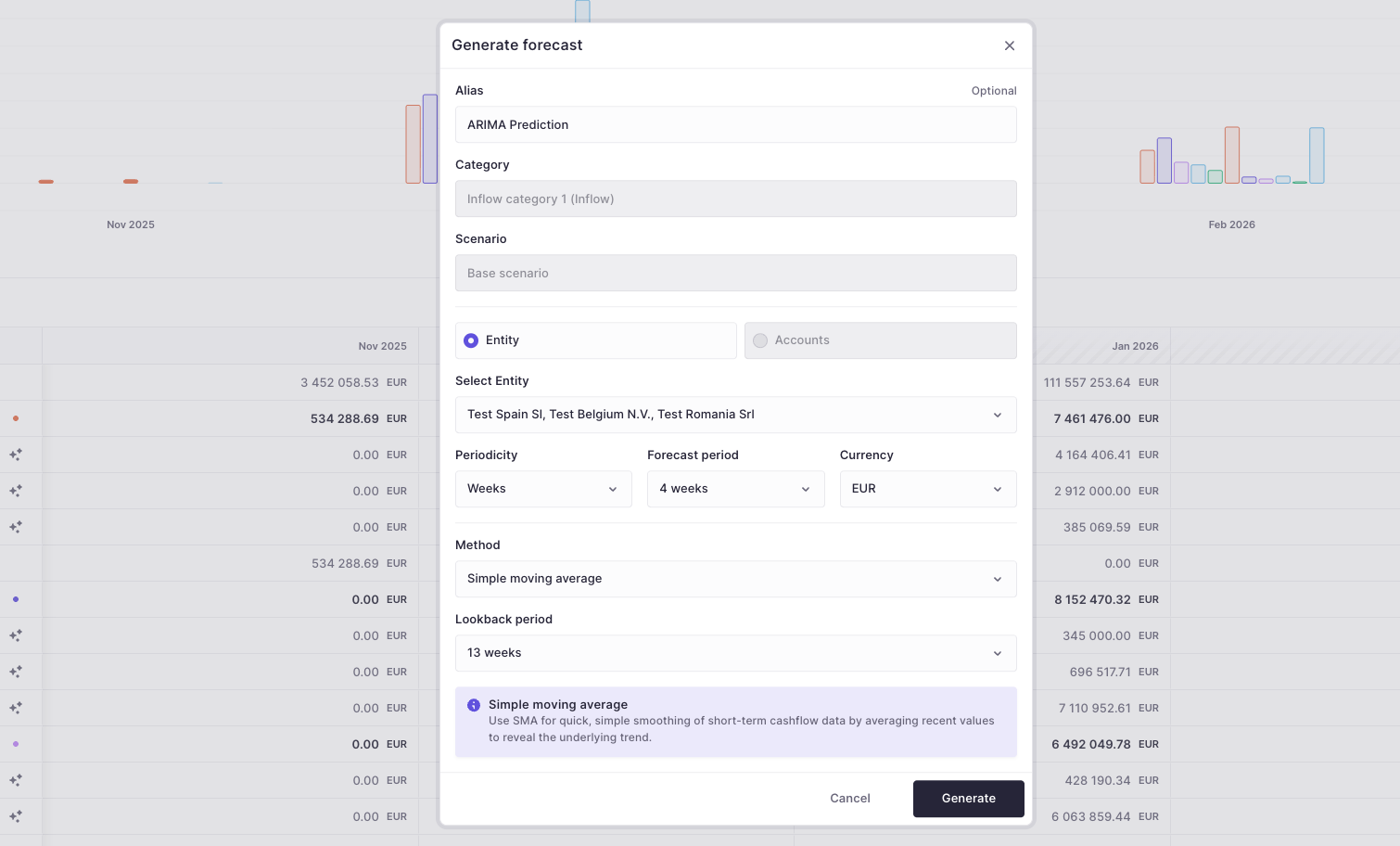
Generate forecasts automatically from your historical data by clicking the sparkles icon on the right of each category. This first release ships with two built-in models.
- Models included: Pick between ARIMA (Auto-regressive integrated moving average) and SMA (Simple moving average), depending on what best fits your data.
- Prediction window: Both models look back up to 20 weeks of history to produce forecasts for up to the next 13 weeks.
- Tip: Create a new scenario, generate a forecast for a category, then compare its performance as actuals come in.
Other improvements
- Forecast levels: To ensure consistent forecasting, you must choose a single forecasting granularity. Because entity-level and account-level forecasts don’t always reconcile cleanly, forecasting is enforced at one level—either entity or account—based on how your organization operates. You can find this setting on the cash flow structure page (top right).
- Expanded cash flow groups: We have increased the limit to 5 inflow groups and 5 outflow groups, allowing for more detailed categorization (with more updates to come).
- View builder usability: Header columns in the view builder are now frozen, making it easier to navigate large datasets without losing context.
- Visualizations: Added a line chart view within the forecast, cash flow, and variance analysis for clearer trend analysis.
- Role setup filtering: You can now filter by account groups during role setup. This makes it significantly faster to find and assign the correct account access to specific users.
- Filter sets: Fixed an issue where saving Inflow/Outflow filters to a specific filter set was not possible.
Major projects update
Work continues on our upcoming major releases regarding notifications, the accounting hub, and deeper forecasting capabilities.