
External debt, payroll, forecast versions, AI generated excels, and reconciliation enhancements
Overview
New features:
- External debt: register loans and facilities where an external company is the borrower, and track principal, interest, fees, and repayments next to your cash
- AI Agent files: attach spreadsheets, PDFs, and images to a conversation, and download the agent's results as CSV or Excel
- Debt settlements: link payments and bank transactions to loan schedules, seed live loans into Atlar, and record drawdowns straight from a payment or a bank transaction
- Payroll batches: upload salary runs as their own batch type, keep salary details visible only to people with payroll access, and route payroll to its own approvers
- Version control: compare forecast versions in variance analysis
- Reconciliation matching: net canceling documents without a bank transaction, ignore documents that will never match, richer matching rules, and a workspace built for long match queues
Improvements:
- Custom and cross-currency benchmark rates for floating-rate debt
- Bulk approval of change requests, with Needs approval tabs on Users and Roles
- Mobile-ID and AutoFirma signing for bank instructions
- Balances and holdings can be built side by side in view builder
- Entity hierarchy as a tree, with portfolios and accounts editable from the entity
- Entity aliases as the display name across the dashboard
- Dynamic date ranges in view builder and payment filters
- Multi-currency batch totals and source account on payment batch tables
- Regulatory reporting and custom fields on payment templates
- Payment schedules on payment templates
- General Ledger overview in Settings
- More actions the AI Agent can prepare in chat
- Workflows can be built from scratch
- File attachments and downloads in the AI Agent
- AI Agent amount handling and spreadsheet-friendly chat tables
- Up to five roles per user
- Transaction charges visible on transaction details
- Scheme guidance and tax columns on credit transfers
- Remittance information on US ACH direct debits
- Zero balance updates for closed accounts
- Deleted category handling
- Reconciliation rule details
- Fund AUM on holdings
- Safer CSV exports
External debt
You can now register loans and credit facilities where your company is the lender and an external company is the borrower. Add the borrower as a counterparty, create the loan or facility with your internal entity as lender, and track outstanding principal, interest, fees, and expected repayments in the same Debt module you already use for intercompany debt. You can of course also register loans where an external bank is the lender.
Repayments from external borrowers are recorded when cash arrives. Link the booked bank transaction to interest or principal on the schedule so the loan and the cash movement stay connected. Filters and debt charts separate intercompany and external debt, so portfolio views stay clean when you manage both.
This closes the gap for treasury teams that lend to partners, portfolio companies, or other third parties and previously kept that book outside Atlar.
Atlar AI Agent files
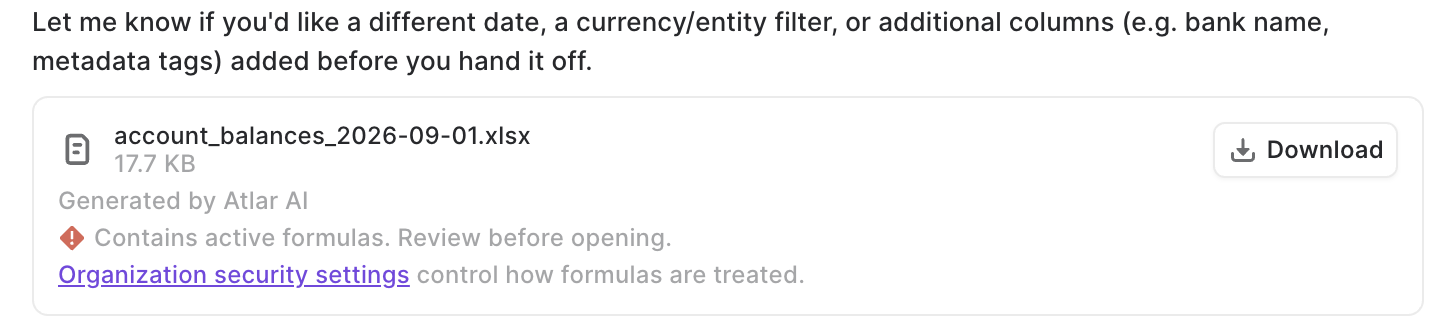
The AI Agent now works with your files, not just the data already in Atlar.
Attach a file to any conversation with the attach button, or drag it onto the chat. The AI Agent reads spreadsheets (CSV and Excel), PDFs, text and markdown files, and images. Attachments stay in the conversation history, so you can see what the agent was working from.
Ask questions like:
- Compare this bank fee schedule with the charges we actually paid last quarter
- Here is our budget for Q4. How does it compare to our cash flow forecast?
- Which payments in this supplier list have we not made yet?
The AI Agent can also hand results back as excel files. When you ask for a list or a report, it produces a CSV or Excel file you can download straight from the chat and open in your own tools.
Downloaded files are safe by default: formulas in agent-generated spreadsheets are neutralized so a file cannot run unexpected calculations when opened.
Admins who want to keep formulas can allow them under Agent file downloads in organization security settings. Like other security settings, the change can require approval from a second person.
Debt settlements
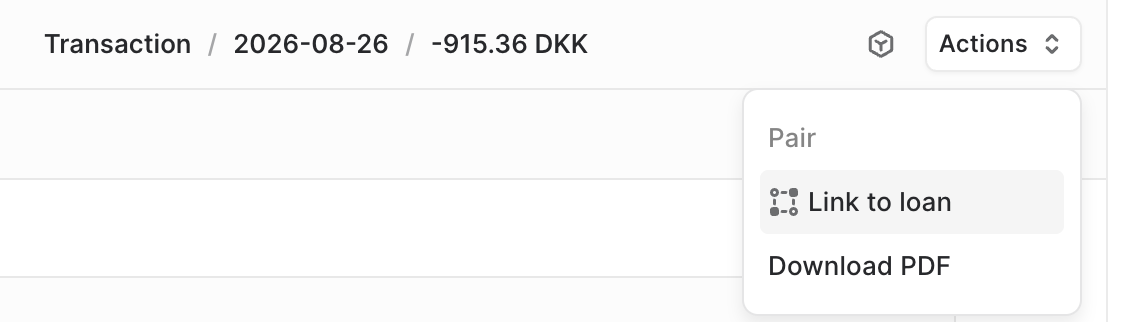
Debt and payments are more tightly connected.
Link a new or existing credit transfer (or transaction) to interest or principal on a loan, scheduled or ad hoc. Payment details show the related loan and jump straight to the matching schedule. The same linking works for booked transactions when repayment happened outside Atlar, and transaction details show the loan a transaction belongs to.
Drawdowns can start from the money movement itself. When you create a credit transfer from an eligible revolving facility, record the facility drawdown in the same step. Eligible facilities are filtered by account, currency, date, and state, with a choice of loan terms for the drawdown. If the drawdown was paid outside Atlar, create it from the booked bank transaction instead. When you register a new loan, you can send the principal payout as a payment at the same time.
For live loans you are bringing into Atlar, enter the current outstanding principal and accrued interest or fees as of a chosen date instead of recreating years of history. You can also increase principal after creation, edit facility terms and borrowers, and duplicate loans or facilities when you need a close copy.
Payroll batches

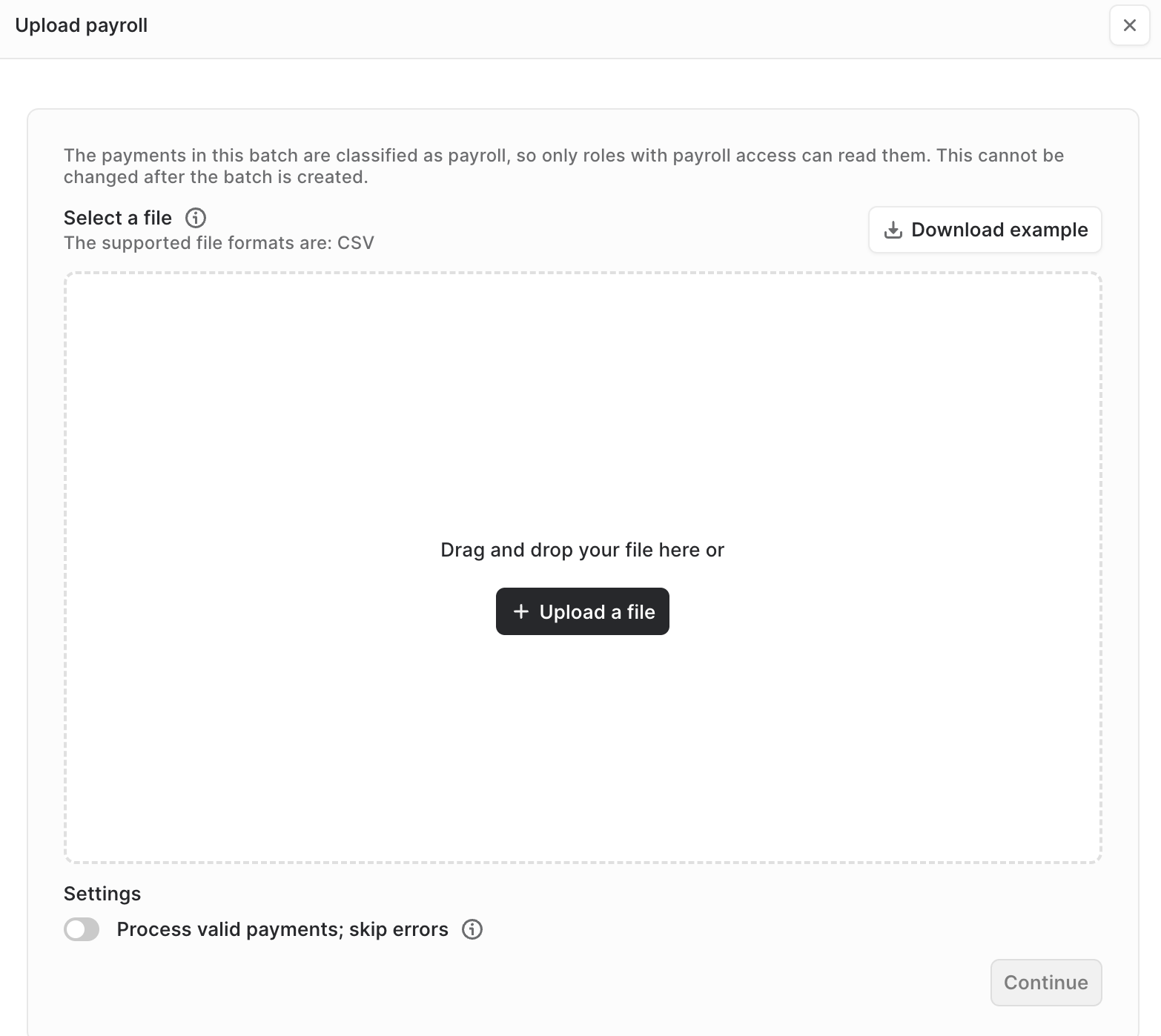
Salary runs now have their own batch type. Upload a payroll file from the new payroll upload on the credit transfer batches page. The batch is marked as payroll for its entire life, and batch details show the purpose so you can tell it apart from supplier runs.
Individual salary payments are only visible to roles with payroll access. Treasury can still approve or reject a payroll batch without seeing what each employee is paid, and the batch explains why the payments are hidden instead of showing an empty table. A new payroll permission controls who can upload and read payroll.
Payroll batches go to the bank as a single instruction and are requested as one booking on the statement, so a salary run shows up as one debit for the total instead of one line per employee.
Approval chains can now trigger on payment purpose, so payroll can go to named approvers instead of sharing the default chain. The chain editor warns you that once a payment matches a purpose-specific chain, general chains no longer add steps to it.
Forecast estimates and versions
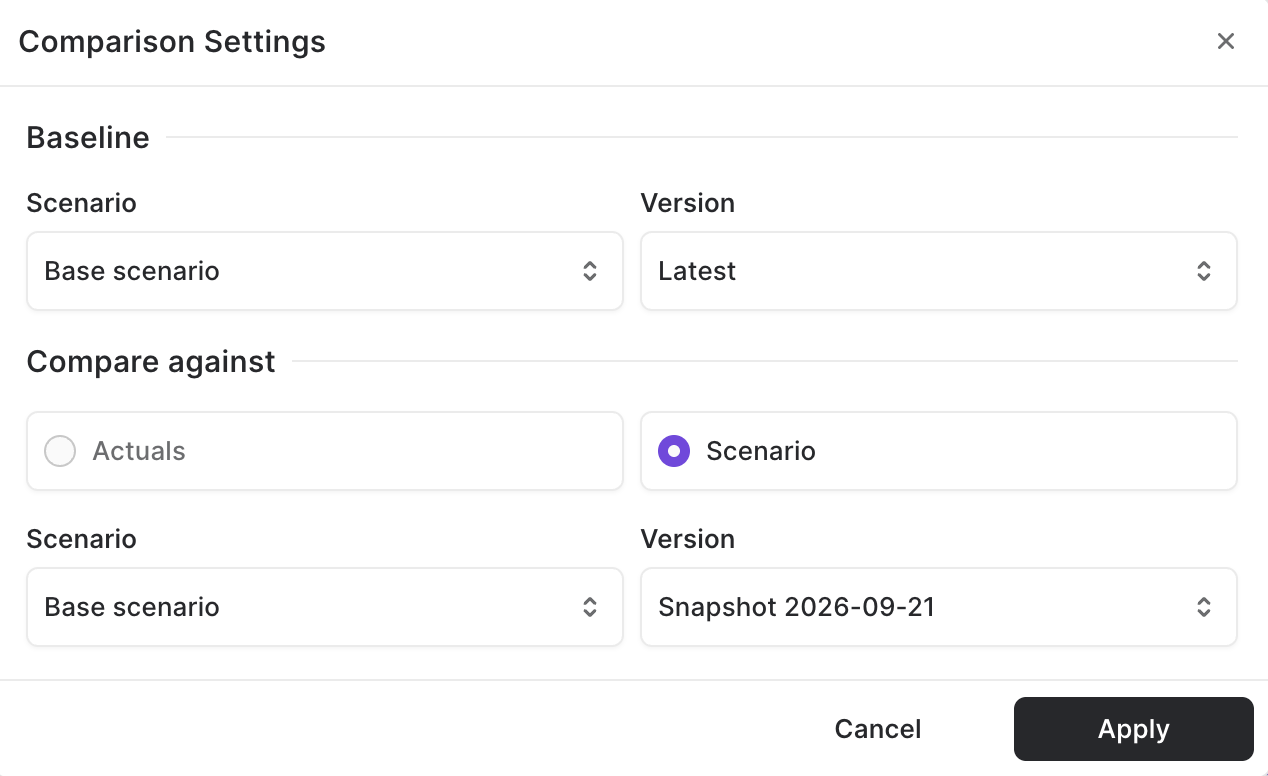
Atlar now keeps a version history of your forecast. At the start of every forecast period (each day, week, or month, depending on your forecast's periodicity), Atlar automatically takes a snapshot of your base forecast and every scenario you have created. Each snapshot freezes the forecast exactly as it looked on that date, so you keep a record of what you expected at the time, not just what you expect today. There is nothing to set up and nothing to remember to save.
Compare any two versions in Variance analysis. Open the comparison settings by clicking on the scenario selector (the button showing which scneario you are on), pick a baseline scenario and version (Latest or any earlier snapshot), then compare it against actuals or against another scenario and version. Variance analysis shows the deviation between the two, so you can see how this month's forecast differs from the one you made a quarter ago, or how a scenario has moved since you first built it. Drill into a number to see the forecasted transactions behind it in that version.
Forecasted transactions in a past version cannot be edited or deleted, so a version you have reported against stays exactly as it was.
Reconciliation matching
Reconciliation picks up several workflow-level upgrades.
Match two or more outstanding documents that sum to zero without selecting a bank transaction. Use this when an ERP reversal cancels the original document and there is no bank movement to attach. Documents that will never match can be ignored in bulk from the outstanding list, and reopened later from the document details page.
Matching rules gain transaction conditions on description, counterparty account identifier, and bank transaction codes, plus empty and not-empty operators that need no value. Where supported, GL account conditions accept a multi-select of organization accounts with match-any, match-all, or negated variants. Journal entries and creation rules can set an intercompany counterparty and a reference per line.
The reconciliation workspace lets you drag the divider between outstanding transactions and documents, remembered per tab, and change page size on Matches, Review, and Posted tables. Filters by entity and a global filter carry across tabs, and clicking a cell in the overview filters the workspace to it. Journal entry and transfer match dialogs use a wider two-column layout for multi-line entries. Reconciliation progress can show opening and closing booked balances in each date column, and match details summarize GL impact and include an audit trail of what happened to the match. Failed matches appear on the Posted tab and can be resubmitted, including after an ERP dimension error.
Settings now include a read-only General Ledger view of GL entities and accounts with their linked Atlar entity or account, so finance can see the chart of accounts mapping without opening every ERP connection.
Additional improvements
- Custom and cross-currency benchmark rates: Create your own floating-rate indices, enter and edit fixings, and create a new index from loan or facility terms without leaving the form. When a loan is waiting on a fixing, Debt and Benchmark Rates show a count badge, and the create flow prompts you to fill missing fixings before you save. More market indices are available, and a loan can use a benchmark in another currency, such as EURIBOR on a USD loan.
- Bulk change request approval: Approve or reject several pending change requests at once. The Settings button shows how many change requests are waiting, and Users and Roles each get a Needs approval tab so approvers find pending changes next to the resource.
- Mobile-ID and AutoFirma signing: Sign bank instructions with Mobile-ID or AutoFirma directly in Atlar, for banks that require these signing methods.
- Balances and holdings together: Group the Balances and holdings view in Analysis by individual account or holding, so bank accounts and money market fund positions appear in one list, for example by currency.
- Entity hierarchy: The entities page shows your structure as a tree. Reassign portfolios and accounts to an entity from the entity, and change the entity on an account from its details page.
- Entity aliases: Set an optional alias on an entity. The alias becomes the display name across the dashboard while the legal name stays on entity administration and bank-facing payment data.
- Dynamic date ranges: Choose rolling offsets from today in Analysis date filters and in payment and approval date filters, instead of fixed calendar dates only.
- Batch totals and source account: Payment batch tables show an amount column split per currency and the account each batch pays from, so multi-currency batches are readable without opening them.
- Richer payment templates: Payment templates support regulatory reporting and custom fields, and show them on the template details page. Editing a template no longer drops values the form does not display.
- Payment schedules on templates: Assign a payment schedule when creating or editing a credit transfer template.
- AI Agent actions: Beyond payments, sweeping rules, loans, and categorization rules, the AI Agent can now prepare categories, forecast scenarios, forecasted transactions, custom fields, approval chains, notification rules, reconciliation rules, and account alias updates for you to review and approve in chat.
- Workflows from scratch: Build a Workflow without starting from a template, and get tool suggestions for each step.
- AI Agent usability: Search and chat results use decimal amounts instead of minor units, amount filters can convert across currencies, chat tables copy cleanly into spreadsheets, and long agent answers no longer time out.
- AI assistant connection lifetime: Admins can set how long a read-only connection from an external AI assistant to Atlar stays signed in.
- Ten inflow and outflow groups: Cash flow structure supports up to ten top-level inflow groups and ten top-level outflow groups.
- Sandbox and pre-production badges: Sandbox and pre-production organizations show a clear environment label in the sidebar and a distinct favicon, so demos and screenshots are harder to confuse with production.
- Five roles per user: A membership can hold up to five roles, so one person can combine treasury and read-only finance access without workarounds.
- Transaction charges: Transaction details list charge lines when the bank provides fee breakdowns.
- Scheme guidance and tax CSV columns: Credit transfer forms show scheme-specific guidance before submission, and the review step shows every option you selected. Credit transfer CSV batches can include tax type, amount, creditor ID, and invoice number.
- US ACH remittance: Direct debit details show remittance information for US ACH collections.
- camt.053 report versions: Download bank reports as camt.053.001.04 or camt.053.001.08 in addition to the existing format.
- Closed account balances: Update the balance on closed accounts that never received a final statement, typically to zero, so stale balances stop distorting cash position.
- Facility clarity: Facility screens use clearer labels for limit, outstanding principal, expiry, and drawdowns. Debt overview charts follow the same filters as the loans and facilities tables, and the debt dashboard lets you choose its display currency.
- Deleted category handling: Deleting a cash flow category shows where it is still used. Deleted names display as Uncategorized, with warnings on transactions, rules, and forecast schedules.
- Reconciliation rule details: Inspect rule-based matches from a read-only rule details view, with match type pills linking back to the rule.
- Fund AUM: The holdings table shows each fund's assets under management.
- Safer CSV exports: Exported CSV files and copied tables neutralize values that a spreadsheet would otherwise run as formulas.